

Bringing Personalized Profiles to EspialTV
PROJECT TYPE
UX Design, UI Design, UX Research
ROLE
UX Designer
DELIVERABLES
Design System, Wireframes, Hi-fi Prototypes
TIMELINE
16 Months
Problem
Addressing A Changing Consumer Landscape
At the onset of this project, EspialTV was predominantly a cable TV product, just venturing into IPTV (Internet Protocol TV). Work on the backend provided the perfect opportunity to give EspialTV a UI refresh as well, especially since market demand was pushing for personalization features that Espial TV lacked.
Solution
Introducing User Profiles to Empower Users
It was time to re-haul the entire interface of EspialTV, enabling users to create personalized viewing experiences on all platforms. This redesign transformed EspialTV from a generic IPTV platform into a tailored, user-centric experience, empowering operators to offer more value to their customers.
Strategy & Approach
This redesign was also used as an opportunity to migrate our legacy design system from Adobe XD to Figma. Focus throughout the transformation was to build a flexible, cross-platform system from the ground up—defining scalable patterns, documenting reusable components, and ensuring consistency across both TV and mobile platforms.

1. Exploratory Research
Early Exploratory Research
From an earlier exploratory user survey, we knew about 60% of our users shared their account, further supporting the need for customization features.
Features like personalized search and content recommendations would transform EspialTV from a generic IPTV platform into a tailored, user-centric experience that empowered operators to deliver more value to their customers.
.png)
Stakeholder Workshops
I built Miro board templates to facilitate workshops. We did an 'In The News' workshop for brainstorming, with product owners, engineers, marketers, and designers. and impact/effort matrix for prioritization.

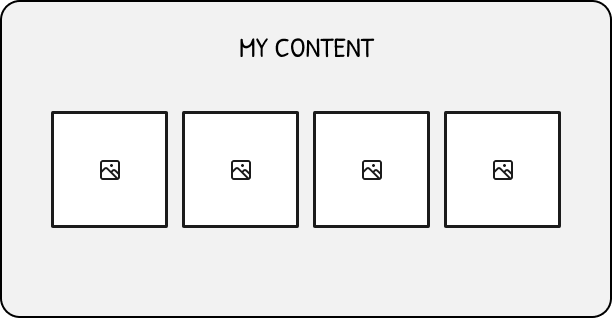
After the workshop, we had 3 strong concepts for personalization:
I facilitated a prioritization workshop with stakeholders to align on the direction. Ultimately, while 'My Content' and 'Recommended to You' offered personalization, they would not address the issue of multiple users on one account. User Profiles was a familiar pattern from streaming that could be applied to EspialTV.


Key Decisions
EspialTV being a live TV app added some complexity:
-
Favorite Channels: People stored favourite channels on a device. Where would that go now?
-
Parental Controls: Parental controls affected all programs. What happens when you have user profiles? Should parental controls be controlled by a parent profile? If so, how do you decide which profiles are parent profiles?
-
Recorded Programs: What about programs already recorded? Which profile do they belong to?
-
Buying/ Renting Programs: EspialTV had options to buy/rent programs. Which profiles can now buy/rent?
It was clear that clear, intuitive onboarding would be needed for User Profiles to be successful.
2. Ideation & Prototyping
User Flows
To ensure our onboarding flow would be effective and intuitive, I developed a user flow in Figjam that defined key decision points and screens.
.png)


Refining the Design
I created high-fidelity mockups of the top voted sketches in Figma. Screens were designed for AndroidTV first, EspialTV's most used platform.

3. Testing & Iterating
Using the high-fidelity mockups, I created a Figma prototype of the key screens to conduct usability testing. A public survey was used to recruit participants and testing sesions were held remote, 1-on-1, and 60 minutes long.
Testing Goals
LEARN USER EXPECTATIONS OF A PROFILE EXPERIENCE
IDENTIFY KEY FEATURES OF BUILDING A USER PROFILE
UNDERSTAND USERS' USER PROFILE KNOWLEDGE
UNCOVER CURRENT PAIN POINTS AND CHALLENGES
Testing Challenges
We were restricted by COVID and our virtual setup while doing usability testing, and had to get creative to test on TV. To closer simulate a TV experience, I added an interactive remote to our Figma prototype that participants had to use to interact with the UI.

Analysis & Insights
The results of our usability testing highlighted many pain-points and opportunities for improvement in the prototype. Using data coding methods, we grouped together common feedback and then created problem statements for each step of the user flow.
.png)
Key Insights From Research
By addressing problem statements, a list of action items was generated to improve the user flow. In total, 27 problem statements were identified from the first flow iteration. Overall insights included:
1. The User Profiles flow was too long.
2. Users wanted more control over their experience.
3. Complex flows such as transferring favorites require more explanation.
Iterating the Design
User feedback pointed to shortening the onboarding flow. We restructured the functionality so that PIN creation was no longer mandatory, removed transferring favorites, and added a 'Remind Me Later' button.
A second prototype with new flow and screens was used to conduct another round of usability testing. We employed the same research method with 6 different participants.

Key Insights From Research Round 2
Our analysis revealed only 7 problem statements, a 75% decrease from our first round of testing.
These metrics gave our stakeholders more confidence in our design direction. Action items generated from the outstanding problem statements drove our final design.
Pivots From Stakeholder Feedback
Along with user feedback, engineering, client, and stakeholder feedback led to further pivots and iterations:
ENGINEERING TEAM
"A 'Remind Me Later' button is nice, but what if users never create a profile and we have to maintain 2 versions of the app?"
Solution: 30-day deadline after which the button disappears and the update is forced.
CLIENTS
"We don’t want users to create unlimited profiles and share the account with lots of people."
Solution: Based off feedback from our first user survey, limit to 7 profiles.
INTERNAL STAKEHOLDERS
"If there's only one user on the account, isn't the Who’s Watching screen adding an extra step?"
Solution: 30-day deadline after which the button disappears and the update is forced.
4. Finalize & Launch
User profiles released on AndroidTV with new flexible security options, seamless continuity across devices, improved purchase permissions, and new recording features.
5. Maintain & Evolve
Design System Tool Migration
As part of a major transformation project, our team transitioned from AdobeXD to Figma to modernize our design and documentation processes. This involved establishing a brand-new design system from the ground up that was:
-
Flexible across platforms: AppleTV, Roku, AndroidTV, Android mobile, and iOS mobile.
-
Sustainable for future teams: A robust foundation for designers to build upon.
-
A single source of truth for developers: Comprehensive documentation ensured clarity and alignment.
All foundational components were documented in Figma with flexible states and usage guidelines. Component naming and file structure followed a “function-first” logic, grouped by purpose and labeled using a shared naming convention. This ensured designers and developers could quickly locate, understand, and scale elements across the system.

Figma documentation covered variable component states, breakpoints, and unique edge cases and behaviors. During implementation, I partnered closely with developers through weekly reviews and async documentation updates. We aligned early on behavior logic and naming conventions to reduce ambiguity and duplication.

The Dropdown Menu was based on Material Design but adapted for our product's needs:
-
Optional icons
-
Item grouping with dividers
Links to the source spec and decision points where we diverged were documented to assist developer implementation.

Outcomes & Reflections
Key Outcomes
-
Reduced usability pain points by 75% between prototype iterations.
-
Delivered 100+ components in a scalable cross-platform design system used across 5 platforms (Apple TV, Roku, Android TV, iOS, Android) with documented states, patterns, and responsive behaviors.
-
Increased operator sign-ons from 10 to 17 in the year following the release of user profiles.
What I'd do Next Time
-
Usability testing methods to match the platform's reality: TV interfaces come with their own physical context and interaction patterns. If I had more budget or time, I’d set up testing to use physical remotes to better mimic in-home environments.
-
Define foundational components first: Early prototypes were created at the same time as design system migration, leading to rework of certain components. Next time, I’d define foundational components (like text styles, buttons, cells) earlier to reduce rework.
-
Explore more moments of delight: Giving users the ability to choose their own avatar and name created a surprising amount of delight and ownership. Next time, I’d prioritize micro-interactions and personalization moments earlier in the timeline, and budget time to polish them.
View more projects:
The Page Header included variants for different entry points like Search, NDVR, and VOD:
-
Accounted for tab overflow
-
Breakpoint logic


